

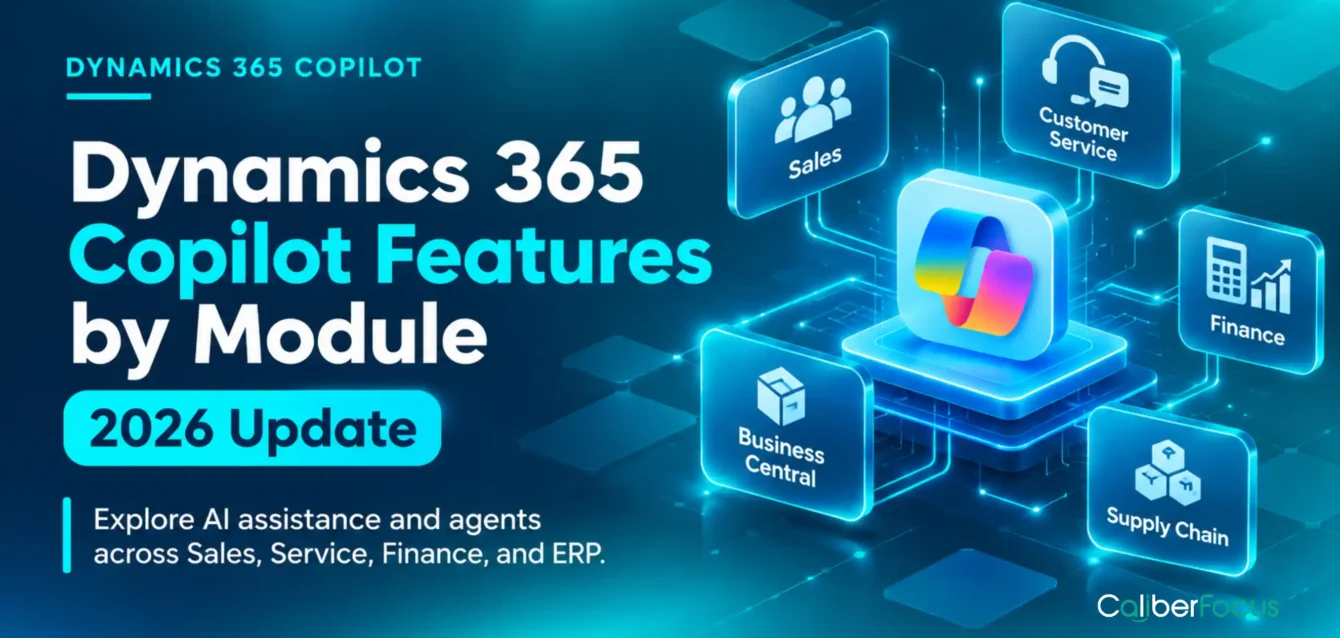
Microsoft Dynamics 365 Copilot features extend across Sales, Customer Service, Finance, Business Central, Supply Chain Management, and other business applications, bringing AI-assisted insights, content generation, and workflow capabilities into everyday operations. However, the available features, licensing requirements, and level of automation differ by module.
In 2026, Microsoft’s Dynamics 365 roadmap places greater emphasis on AI agents and task-oriented workflows alongside existing Copilot assistance. For organizations investing in Dynamics 365 consulting and implementation, this introduces a more practical consideration: how well do these AI capabilities align with existing business processes, enterprise data, and operational requirements?
The value of Dynamics 365 Copilot depends not only on what a feature can do, but also on where it fits, whether it is available, and how effectively an organization can put it to work.
Ready to Put Dynamics 365 Copilot and AI Agents to Work?
Connect Copilot capabilities with your business workflows, enterprise data, and existing Dynamics 365 environment.
Dynamics 365 Copilot Features at a Glance
Explore how AI assistance supports different applications across the Dynamics 365 ecosystem.
Sales
Copilot assists with opportunity summaries, meeting preparation, CRM information retrieval, and sales communications.
Customer Service
AI-assisted case summaries, knowledge retrieval, and response drafting help representatives manage customer issues.
Finance
Copilot supports collections activities, customer account analysis, workflow summaries, and selected reconciliation tasks.
Business Central
Copilot and AI agents assist with sales documents, bank reconciliation, vendor invoices, and sales order processing.
Supply Chain, Field Service, and Customer Insights
AI capabilities address demand planning, work order management, customer segmentation, and marketing workflows.
2026 Developments
Microsoft’s updates extend AI assistance into task-specific skills and agent-driven workflows, although availability differs by feature and application.
What’s New in Dynamics 365 Copilot in 2026?
Microsoft’s 2026 Dynamics 365 updates extend Copilot beyond generating summaries and drafting content toward AI-assisted data management, task-specific skills, and agent-driven business workflows. The changes differ across CRM and ERP applications, with several developments standing out.
AI-Assisted CRM Workflows
Dynamics 365 Sales introduced enhancements such as natural-language smart grids, form-fill assistance, and smart paste, with general availability recorded on April 30, 2026. These capabilities make it easier to find, organize, and enter CRM information without relying entirely on manual navigation.
Source: Microsoft Dynamics 365 Sales 2026 release plan.
Dynamics 365 Skills in Copilot Cowork
In October 2026, Microsoft announced 30 preconfigured CRM skills spanning Sales, Customer Service, and Customer Insights. These skills bring CRM context into supported Copilot experiences for tasks such as identifying deal risks, researching customer issues, and preparing responses. Microsoft identifies the skills in Copilot Cowork as generally available, while Autopilot remains in private preview.
Source: Microsoft’s October 2026 CRM skills announcement.
Expanded AI Agents Across Business Applications
Business Central’s 2026 releases include enhanced Sales Order Agent capabilities and centralized agent-task management. Meanwhile, Microsoft’s roadmap identifies further agentic development across customer service, field service, and supply chain operations.
Source: Business Central 2026 release features.
These developments expand the scope of Dynamics 365 AI, but feature availability, licensing, and the level of autonomous execution still require module-specific evaluation.
Dynamics 365 Copilot Features by Module
Dynamics 365 Copilot features differ according to the business processes and data available within each application. Sales teams use AI to understand customer relationships and manage opportunities, while customer service teams use it to retrieve knowledge, interpret case information, and assist with resolution.
- Dynamics 365 Sales Copilot Features
Copilot in Dynamics 365 Sales helps sellers retrieve CRM information, prepare for customer interactions, and manage opportunities with less manual record review.
Key capabilities include:
- Lead and opportunity summaries: Consolidate CRM information, including opportunity details, recent activities, and customer context.
- Meeting preparation: Summarize relevant records and recent communications before customer meetings.
- Email assistance: Draft and refine sales communications using available CRM context.
- Natural-language queries: Retrieve information about accounts, opportunities, and recent record changes through conversational prompts.
- Sales agent: Bring CRM-grounded assistance into supported Microsoft 365 applications, including Outlook and Teams.
These capabilities are particularly relevant when organizations want to reduce repetitive CRM activities without disrupting established sales processes. However, their effectiveness depends on accurate customer records, consistent activity tracking, and appropriate access permissions. Aligning these requirements with Dynamics 365 consulting and business process optimization is important when extending AI assistance across sales operations.
Microsoft references: Dynamics 365 Sales Copilot overview | Sales Copilot FAQ
- Dynamics 365 Customer Service Copilot Features
Copilot in Dynamics 365 Customer Service assists representatives with case resolution by bringing customer information, service history, and knowledge resources into their existing workflows.
Key capabilities include:
- Case summaries: Consolidate case details, activities, and customer interactions to establish issue context.
- Conversation summaries: Capture important information from customer interactions and handoffs.
- Knowledge assistance: Retrieve information from configured knowledge sources to inform responses.
- AI-assisted email drafting: Generate customer communications using case context and relevant knowledge.
- Customer Intent Agent: Identify customer intent and recommend next actions where the capability is available and configured.
For service leaders, the critical consideration is whether AI-generated information reflects current policies and established resolution procedures. Knowledge quality, case routing, and escalation rules influence how reliably these capabilities operate. Organizations evaluating Dynamics 365 Copilot and AI integration services should assess these dependencies before introducing AI assistance into customer-facing workflows.
Microsoft references: Customer Service AI-assisted knowledge | AI-generated case and conversation summaries
- Dynamics 365 Finance Copilot Features
Dynamics 365 Finance Copilot helps finance teams interpret transaction information, review customer accounts, and understand workflow activity without manually navigating multiple ERP records.
Key capabilities include:
- Collections summaries: Consolidate overdue invoices, payment history, outstanding balances, and customer account information to inform collections follow-up.
- Customer account summaries: Present relevant invoices, payments, orders, and account activity in a consolidated view.
- Workflow history summaries: Highlight approval status, previous actions, comments, and outstanding steps.
- AI-assisted collections communication: Generate draft payment reminders using available customer and collections context.
- Account Reconciliation Agent (preview): Identify subledger-to-general-ledger discrepancies and assist with investigating reconciliation differences.
These capabilities reduce the effort required to gather financial context, but they do not replace transaction validation or approval controls. Organizations evaluating Dynamics 365 Finance Copilot implementation requirements should distinguish established assistance features from preview agents before planning deployment.
Microsoft references: Finance and Operations Copilot capabilities | Dynamics 365 AI agents and capabilities
- Dynamics 365 Business Central Copilot Features
Copilot in Dynamics 365 Business Central assists SMB and midmarket organizations with financial administration, sales order processing, purchasing, and everyday ERP tasks.
Key capabilities include:
- Bank reconciliation assistance: Suggest matches for unmatched bank transactions using transaction dates, amounts, and descriptions.
- Sales document assistance: Suggest sales lines for quotes, orders, and invoices from structured or natural-language input.
- Record summaries: Summarize customer, item, and sales order information.
- Sales Order Agent: Process emailed customer requests, check item availability, prepare quotes, and assist with converting approved quotes into sales orders.
- Payables Agent: Analyze incoming vendor invoices and prepare draft records for review.
Unlike conventional Copilot assistance, agents can execute multiple steps within a defined workflow, subject to their configured permissions and review requirements. For finance leaders, the distinction matters when assessing operational controls and the appropriate level of automation. CaliberFocus’s article on Copilot for Business Central from a CFO’s perspective provides additional context for evaluating these capabilities.
Microsoft references: Copilot and AI capabilities in Dynamics 365 | Business Central Copilot and agent configuration
- Dynamics 365 Supply Chain Management Copilot Features
Copilot in Dynamics 365 Supply Chain Management helps planning and procurement teams interpret operational data, investigate demand changes, and understand potential supply disruptions.
Key capabilities include:
- Demand plan analysis: Identify trends, anomalies, and changes in demand using natural-language explanations and visualizations.
- Forecast accuracy insights: Explain forecasting performance to help planners investigate differences between predicted and actual demand.
- Procurement Agent impact analysis: Assess the downstream effects of purchase order changes on related supply chain activities.
For manufacturing and distribution leaders, these capabilities are most relevant when demand forecasts, purchase orders, and inventory information reflect actual operating conditions. Microsoft’s 2026 roadmap lists Procurement Agent impact analysis in public preview, so organizations should verify its availability before planning deployment.
Microsoft references: Supply Chain Management Copilot capabilities | 2026 Supply Chain Management release plan
- Dynamics 365 Field Service Copilot Features
Copilot in Dynamics 365 Field Service assists dispatchers, service managers, and technicians with work order information, field updates, and service preparation.
Key capabilities include:
- Work order summaries: Consolidate service history, work order status, priority, and relevant activities.
- Natural-language assistance: Retrieve information about service accounts, work orders, and recent record changes.
- AI-assisted work order updates: Suggest updates to work order fields from technician text or speech input, with the mobile capability documented in preview.
- Inspection template creation: Convert uploaded documents or images into editable draft inspection templates.
For field service organizations, the operational priority is ensuring technicians receive accurate asset and service information while maintaining appropriate review of AI-suggested updates.
Microsoft reference: Copilot features in Dynamics 365 Field Service
- Dynamics 365 Customer Insights Copilot Features
Copilot in Dynamics 365 Customer Insights assists marketing and customer experience teams with audience analysis, segmentation, content creation, and customer journey planning.
Key capabilities include:
- Natural-language segmentation: Translate audience descriptions into suggested segment criteria.
- Customer data insights: Ask questions about available customer data and generate insights through conversational queries.
- AI-assisted email creation: Generate and refine marketing content using campaign context and instructions.
- Journey Creation Agent (preview): Generate customer journey structures from natural-language objectives for review and refinement.
These capabilities depend on the quality of customer profiles, consent settings, and available marketing data. Teams should validate generated audience criteria and journey configurations before activating customer communications.
Microsoft references: Customer Insights – Journeys Copilot features | Customer Insights – Data Copilot features
Which Dynamics 365 Copilot Features Make Sense for Your Business?
Identify where Copilot and AI agents fit your existing workflows, and what it takes to configure and integrate them into your Dynamics 365 environment.
Dynamics 365 Copilot vs. AI Agents: Understanding the Difference
The key difference between Dynamics 365 Copilot and AI agents is how work progresses after AI interprets business information. Copilot typically helps employees complete individual tasks, while AI agents can coordinate multiple steps within a defined workflow, sometimes without a new prompt for every action.
| Comparison | Dynamics 365 Copilot | Dynamics 365 AI Agents |
| How work begins | A seller requests an opportunity summary or an employee asks Copilot to draft content. | A customer email, business event, or user instruction can initiate an agent workflow. |
| What AI does next | Retrieves relevant records, generates an answer, or prepares content for the employee to use. | Interprets the request, checks relevant business records, and progresses through permitted workflow steps. |
| Interaction with business records | Primarily assists users in reviewing, preparing, or updating information. | Can create or update business records and initiate supported actions within its configured scope. |
| Human involvement | Employees typically decide and perform the next business action. | Employees may supervise exceptions, review proposed transactions, or approve actions at defined checkpoints. |
| Dynamics 365 example | Business Central Copilot suggests sales document lines for an employee to review. | Business Central Sales Order Agent interprets customer emails, checks product information, and prepares sales documents for review. |
The practical distinction is who coordinates the next step. Copilot primarily improves an employee’s ability to perform a task; agents can coordinate parts of the workflow itself.
For organizations considering AI agents in Dynamics 365 finance workflows, this changes the implementation requirements. Agent adoption requires explicit decisions about system permissions, permitted transactions, exception handling, and approval boundaries.
Microsoft references: Dynamics 365 Copilot and AI capabilities | Business Central Sales Order Agent
What Businesses Should Evaluate Before Enabling Dynamics 365 Copilot
Enabling Dynamics 365 Copilot requires more than activating an AI feature. Organizations must confirm whether the capability is available in their environment, whether business data can reliably inform its responses, and which actions users or agents are permitted to perform.
Five checks should guide the evaluation:
- Feature availability and licensing: Confirm the module, release status, geographic availability, required licenses, and any usage-based charges. A feature available in Microsoft 365 Copilot may have different requirements from an in-app Dynamics 365 capability.
- Data quality and access: Examine incomplete CRM records, outdated knowledge articles, inconsistent financial data, and user permissions. AI-generated outputs depend on the information accessible to the feature.
- Workflow and integration fit: Identify where Copilot will operate and whether the process relies on Power Platform, external applications, or custom integrations.
- Security and transaction controls: Define what AI can access, which records an agent may change, and where human approval or exception handling is required.
- User adoption: Establish role-specific training and usage measures. CaliberFocus’s Dynamics 365 user adoption services address change management, practical training, and sustained Copilot usage.
Prioritizing Copilot Features by Business Value
Start with a recurring workflow that has reliable data, manageable implementation dependencies, and a measurable outcome. For example, evaluate whether AI-assisted case summaries reduce case-review time before expanding into agent-driven case handling.
Dynamics 365 Copilot Consulting and Implementation With CaliberFocus
Adopting Dynamics 365 Copilot and AI agents requires aligning AI capabilities with existing business processes, application configurations, and enterprise data.
CaliberFocus provides Dynamics 365 Copilot and AI integration services covering implementation planning, workflow configuration, system integration, and AI agent development. Our approach connects the selected capabilities with the operational requirements of Sales, Customer Service, Finance, and other Dynamics 365 applications.
Whether extending existing Dynamics 365 functionality or introducing agent-driven workflows, the focus is on practical implementation, appropriate controls, and measurable business value.
Key Takeaways
- Copilot capabilities are module-specific. Organizations should evaluate features against the business processes and data available within each Dynamics 365 application.
- AI agents introduce a different level of automation. Unlike primarily user-directed Copilot assistance, agents can progress through multiple workflow steps, making permissions, approvals, and exception handling important.
- Not every 2026 feature is generally available. Release status, licensing, regional availability, and configuration requirements must be verified before implementation.
- Data readiness determines practical usefulness. Incomplete CRM records, outdated knowledge sources, and inconsistent ERP data can limit the relevance of AI-generated outputs.
- Adoption should follow business priorities. Start with recurring workflows where AI can address a measurable problem, rather than enabling features solely because they are available.
Frequently Asked Questions
Copilot and AI capabilities are available across several Dynamics 365 applications, including Sales, Customer Service, Finance, Business Central, and Supply Chain Management. However, features differ by module, and availability depends on the specific application, licensing, region, and release status.
Some in-app Copilot capabilities are included with eligible Dynamics 365 licenses, while certain Microsoft 365 Copilot experiences, AI agents, and advanced functionality may require additional licensing or usage-based charges. Organizations should verify the requirements for each feature rather than assume one license covers everything.
Dynamics 365 Copilot provides AI assistance within supported business applications. Microsoft 365 Copilot extends AI experiences across productivity applications such as Outlook and Teams. Certain Dynamics 365 agents can also operate through Microsoft 365 Copilot, connecting business data with supported productivity workflows.
Yes, supported Copilot experiences and AI agents can be extended using Microsoft Copilot Studio, Power Platform connectors, and APIs. Integration options depend on the application and feature. Organizations should verify data access, connector licensing, security permissions, and supported actions before implementation.
Yes. Organizations can introduce supported Copilot features into existing Dynamics 365 processes without replacing their entire ERP or CRM environment. However, some capabilities may require configuration changes, updated permissions, additional integrations, or process adjustments to operate effectively.
Making Dynamics 365 Copilot Features Relevant to Business Operations
Dynamics 365 Copilot features in 2026 span different levels of AI assistance, from retrieving business information and preparing content to executing defined workflows through AI agents.
The right capabilities depend on the Dynamics 365 modules an organization uses, the processes it wants to improve, and the availability of each feature. Sales teams may prioritize opportunity intelligence, while finance and service teams may place greater value on transaction visibility, case resolution, or workflow automation.
For business and IT leaders, the priority is to match verified Copilot capabilities with operational requirements, implementation dependencies, and measurable outcomes.