

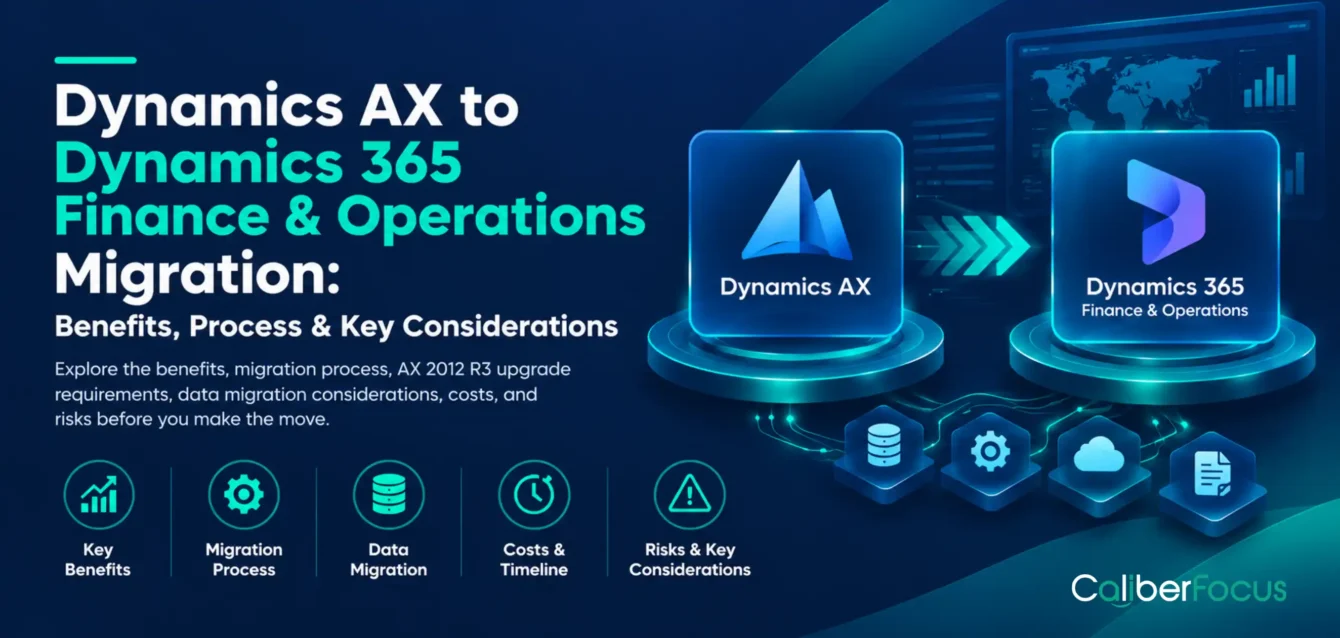
For organizations still operating Microsoft Dynamics AX 2012, ERP migration involves more than replacing an unsupported application. Financial reporting, procurement, manufacturing, inventory, and supply chain processes may depend on years of AX configurations, custom code, and third-party integrations.
With Dynamics AX 2012 support already ended, IT and business leaders must determine how to move these operations to a supported environment without compromising transaction accuracy or business continuity.
A Dynamics AX to Dynamics 365 migration requires evaluating the existing AX environment, confirming the supported upgrade path, assessing customizations, preparing data, and validating business processes in the target applications.
Although commonly called Dynamics 365 Finance & Operations, Microsoft’s current applications include Dynamics 365 Finance and Dynamics 365 Supply Chain Management, alongside other related products.
This guide explains the benefits, migration process, AX 2012 R3 upgrade requirements, data migration considerations, project costs, and risks organizations should evaluate before proceeding.
Can Your AX Environment Follow a Supported Upgrade Path?
Answer these four questions about your existing Dynamics AX environment. Get a preliminary indication of the factors that may influence your move to Dynamics 365.
This is an indicative result based on your answers, not a Microsoft upgrade eligibility assessment. Actual eligibility and migration approach require technical validation of your source environment, including its version, configuration, customizations, and data.
Discuss Your AX Upgrade Readiness →Migration overview
Dynamics AX to Dynamics 365 Migration at a Glance
Migration Destination
Dynamics 365 Finance, Supply Chain Management, or other relevant finance and operations applications based on business requirements.
Support Status
Extended support for Dynamics AX 2012 R3 ended in January 2023.
Supported Upgrade Paths
Microsoft supports cloud upgrades from AX 2012 R2 and R3, subject to prerequisites and unsupported features.
Major Workstreams
Functional assessment, code remediation, database upgrade, integration changes, testing, and cutover.
Primary Risks
Unsupported configurations, unresolved customizations, data inconsistencies, and business-process disruption.
Why Migrate from Dynamics AX 2012 to Dynamics 365?
For many organizations, Dynamics AX 2012 remains central to financial management, procurement, manufacturing, and supply chain operations. Years of configuration and customization have made it closely connected to how the business operates.
The decision to migrate often emerges when the existing ERP begins limiting business priorities. A manufacturer expanding into new markets may need more consistent financial and inventory visibility across entities. A CFO may want to reduce reporting dependencies on spreadsheets and custom reports. An IT leader may face increasing effort maintaining legacy integrations and specialized AX expertise.
These challenges, combined with the end of Microsoft’s support lifecycle, make migration both a business and technology decision.
Dynamics AX 2012 End of Support: What It Means for Businesses
Microsoft’s extended support for Dynamics AX 2012 and AX 2012 R2 ended in April 2022, followed by Dynamics AX 2012 R3 in January 2023.
Microsoft Dynamics AX lifecycle guidance
Although existing AX environments can continue operating, the absence of standard Microsoft support changes how organizations must manage software risks, maintenance, and future requirements.
The implications extend beyond IT:
| Business scenario | What continuing with AX 2012 could mean |
| Business expansion or acquisitions | Adding legal entities, consolidating reporting, or standardizing processes may require additional configuration and custom development. |
| Financial reporting and close | Finance teams may remain dependent on legacy reports, manual consolidation, or custom processes that are increasingly difficult to maintain. |
| Manufacturing and supply chain changes | New warehouses, production requirements, or fulfillment models may expose limitations in existing configurations and integrations. |
| New applications and integrations | Connecting modern business applications may require additional middleware, custom interfaces, or maintenance effort. |
| IT resource planning | Maintaining unsupported software and specialized AX customizations may increase reliance on a limited pool of experienced resources. |
| Security and business continuity | Organizations must manage the risks associated with unsupported application components and changing infrastructure requirements. |
These are potential business scenarios, not problems every Dynamics AX organization necessarily experiences. An organization with stable requirements may face fewer immediate operational pressures than one pursuing expansion or process modernization.
The important question is therefore not simply whether Dynamics AX still works, but whether the existing environment can continue supporting the organization’s operational, financial, and growth requirements at an acceptable level of risk and cost.
A migration assessment should connect these business priorities with technical readiness, helping decision-makers determine what needs to change, what must be preserved, and when migration becomes commercially justified.
AX 2012 Risk Quiz · 1 minute
How Exposed Is Your AX 2012 Environment?
Answer five quick questions to identify potential business, technical, and operational risks in your current AX environment.
Your AX 2012 exposure indication
Your top risk drivers
This is an indicative self-assessment, not a formal audit or support-status determination. Validate your AX version, environment, and business requirements through a technical assessment.
Book a Free Readiness Assessment →Benefits of Migrating AX to D365 Finance & Operations
The benefits of migrating AX to D365 depend on the applications selected and how the organization redesigns or retains existing processes.
| Potential benefit | Business implication |
| Cloud-based operations | Reduces responsibility for certain on-premises infrastructure and application maintenance activities |
| Supported application platform | Provides access to Microsoft’s current application updates and support lifecycle |
| Financial management capabilities | Supports financial processes, controls, reporting, and multi-entity requirements within the selected application scope |
| Supply chain functionality | Provides capabilities for procurement, inventory, warehousing, manufacturing, and related operations where licensed and implemented |
| Integration options | Supports modern application connectivity through documented APIs and integration services |
| Platform extensibility | Enables supported extension approaches instead of relying on legacy AX customization patterns |
These benefits are not automatic outcomes of migration. They depend on functional fit, configuration, licensing, integration design, and user adoption.
For example, a manufacturer may gain access to newer supply chain capabilities, but the value depends on whether its production processes, warehouse operations, and existing integrations can be supported appropriately.
Dynamics AX vs. Dynamics 365 Finance & Operations: What Changes?
Dynamics AX 2012 and Dynamics 365 finance and operations applications share a product lineage, but the newer platform introduces differences in architecture, customization, deployment, and application management.
| Evaluation area | Dynamics AX 2012 | Dynamics 365 Finance & Operations |
| Deployment | Primarily on-premises | Cloud deployment, with supported on-premises options for applicable applications |
| Financial operations | AX financial modules and established configurations | Dynamics 365 Finance capabilities and current configuration models |
| Supply chain | AX purchasing, inventory, production, and warehouse functionality | Dynamics 365 Supply Chain Management capabilities |
| Customization | Legacy AX development and customization approaches | Modern development, extensions, and supported application customization patterns |
| Integrations | Existing AX interfaces and connected applications | Supported APIs, data entities, and integration approaches |
| Maintenance | Customer-managed AX environment and infrastructure | Microsoft-managed application servicing for cloud deployments |
The migration should examine how these differences affect existing business processes.
A company using AX for production scheduling, inventory valuation, and financial reporting must validate those processes in the target environment. The presence of similar functionality does not guarantee identical configuration or transaction behavior.
Dynamics 365 Application Scope Finder
Which Dynamics 365 Applications Do You Likely Need?
Select the AX modules your organization currently uses. Your selections will indicate whether your likely application scope leans toward Finance, Supply Chain Management, or both.
Which AX modules are part of your current environment?
0 modules selected
Your preliminary scope indication
Is Dynamics AX Migration a Direct Upgrade or a New Implementation?
The answer depends on the source system and target requirements.
Microsoft provides a supported upgrade framework for eligible AX 2012 R2 and R3 environments. This can carry forward existing application data and code through defined upgrade activities.
However, the framework is not an automatic conversion. Customizations require assessment and remediation, deprecated features may need replacement, and the upgraded environment must pass functional validation.
Organizations may also choose reimplementation when their existing AX configuration no longer reflects the desired operating model or when the supported upgrade path is unsuitable.
The distinction matters because a technical upgrade and a reimplementation can have different data, testing, cost, and change-management requirements.
AX 2012 R3 Upgrade to Dynamics 365: Prerequisites and Readiness
Before beginning an AX 2012 R3 upgrade to Dynamics 365, organizations must establish whether their environment meets Microsoft’s supported upgrade requirements.
Microsoft currently documents cloud upgrade paths from Dynamics AX 2012 R2 and R3. Each source release should be updated to its latest available cumulative update before upgrading.
What Should Be Assessed Before Migration?
AX version and update level: Confirm the exact source release, cumulative update, and applicable technical prerequisites.
Deprecated functionality: Identify AX features that are unavailable or behave differently in the target applications.
Custom code: Assess custom objects, modified application logic, reports, and integrations that require code conversion or redevelopment.
Database condition: Review database size, obsolete records, data quality, and opportunities for cleanup.
Third-party dependencies: Confirm whether independent software vendor applications have supported equivalents or upgrade paths.
Business ownership: Identify the finance, operations, IT, and application owners responsible for requirements and validation.
Microsoft’s upgrade documentation identifies virtual companies and data partitions as examples of deprecated AX configurations that prevent use of the supported upgrade path.
These conditions should be identified during discovery, not after the migration project has started.
How Should Organizations Evaluate Upgrade Eligibility?
Microsoft’s Upgrade analysis report examines AX application settings, database configuration, data volumes, and deprecated features.
Its findings can help determine required preparation activities and estimate migration effort.
The results should inform the broader Dynamics 365 migration planning scope, particularly where unsupported features, complex customizations, or application dependencies may affect the proposed approach.
Source: Microsoft Learn: Upgrade analysis report
Planning Your Dynamics 365 Migration?
Moving to a modern Dynamics 365 environment involves more than transferring data. Your existing systems, customizations, integrations, and business processes all need to be evaluated before the transition begins. Explore how CaliberFocus can help you assess migration requirements, plan the right approach, and move toward a more scalable Dynamics 365 environment with minimal disruption.
Explore Dynamics 365 Migration ServicesDynamics AX to Dynamics 365 Migration Process: 7 Key Steps
Migrating from Dynamics AX 2012 to Dynamics 365 Finance and Supply Chain Management involves more than executing Microsoft’s upgrade tools. Organizations must establish whether their existing environment qualifies for the supported upgrade path, determine how customizations and data will be handled, and validate that critical business processes continue working after migration.
Microsoft’s upgrade framework follows three broad phases: Analyze, Execute, and Validate. The following seven steps translate those phases into the technical and business decisions required for a controlled migration.
From Assessment to a Validated Outcome
Follow the seven steps across three stages. Select any step to jump to its detailed explanation below.
Analyze
Understand the current environment
Execute
Carry out the planned transition
Validate
Confirm readiness and performance
Step 1: Assess the Existing AX Environment
The first decision is whether the existing AX environment can follow Microsoft’s supported upgrade path or requires a different migration approach.
An AX 2012 R3 environment with relatively standard configurations presents different challenges from one supporting multiple legal entities, extensive X++ customizations, and specialized manufacturing applications.
Start by establishing:
- System baseline: AX version, cumulative update, database size, deployed modules, and infrastructure.
- Customization footprint: Modified objects, custom tables, reports, and third-party components.
- Operational dependencies: Financial close, production scheduling, warehouse transactions, and external application interfaces.
Microsoft’s upgrade analysis tools can help identify deprecated features and configuration issues. For example, environments using data partitions or virtual companies require particular attention because these configurations are not supported by the documented cloud upgrade path.
Expected outcome: A source-system assessment identifying upgrade eligibility, technical constraints, and the major dependencies that could affect migration scope.
Step 2: Define the Target Finance and Operations Scope
A supported technical upgrade does not automatically mean the existing ERP configuration is the right design for the business.
Consider a manufacturer using AX for financial accounting, purchasing, inventory, and production management. Its target environment may require Dynamics 365 Finance and Dynamics 365 Supply Chain Management, but the migration team still needs to determine how current workflows align with the capabilities of those applications.
The important questions are:
- Which existing AX processes should remain functionally equivalent?
- Where can standard Dynamics 365 capabilities replace legacy customizations?
- Which workflows require configuration, extensions, or third-party applications?
- What changes are necessary for financial reporting, inventory control, or operational approvals?
These decisions should become documented functional requirements, with responsibilities assigned to the relevant business and technical owners.
The same considerations that influence Dynamics 365 Finance and Operations implementation practices also apply here, particularly when configuration, integrations, and process changes must be coordinated across departments.
Step 3: Analyze Custom Code and Upgrade Compatibility
Custom-code remediation is one of the clearest differences between an AX upgrade and a straightforward data migration.
AX 2012 customizations may depend on development patterns, application objects, or functionality that cannot be carried forward without modification.
Microsoft’s Code upgrade service can process an exported AX model store and generate converted code along with identified conflicts. However, conversion does not establish that the resulting customization is functional or still necessary.
For example, an organization may have developed custom approval logic in AX because its original configuration did not support a particular business requirement. Before rebuilding that logic, the team should determine whether the requirement can now be handled through supported Dynamics 365 functionality.
This creates three possible decisions:
| Customization finding | Recommended approach |
| Functionality is available through standard Dynamics 365 capabilities | Replace the legacy customization where appropriate |
| Business requirement remains valid but code is incompatible | Remediate or redevelop using supported extension approaches |
| Customization no longer serves an operational requirement | Retire it after confirming dependencies |
The objective is not to preserve every line of AX code. It is to retain necessary functionality without carrying unnecessary technical complexity into the new environment.
Custom Code Is Where Most AX Upgrade Estimates Go Wrong.
Customizations can affect upgrade complexity, compatibility, timelines, and long-term maintenance. Before committing to an upgrade estimate, understand which parts of your AX environment should stay, change, or go.
Our architects review your customization footprint and provide a keep, replace, or retire view of your highest-risk custom objects—helping you make more informed decisions before execution.
Request a Free Custom-Code Assessment Discuss your AX version, custom models, and upgrade requirements with our team.Step 4: Prepare and Upgrade AX Data
Data preparation begins before the first database upgrade rehearsal.
An AX environment may contain years of financial transactions, inventory movements, production records, and custom data. The supported upgrade framework can preserve transactional history, but the source database must meet the relevant technical prerequisites and successfully complete the upgrade.
The work should follow a controlled sequence:
Source data review → Required cleanup → Preupgrade activities → Database upgrade → Reconciliation
For example, after upgrading a manufacturing company’s database, the team should not validate only the general ledger balances. Inventory valuation, open production transactions, and their financial relationships may also need to be reconciled.
Data validation should therefore be organized around the business processes represented by the records, rather than treating a successful database conversion as sufficient evidence of migration readiness.
Step 5: Rebuild Integrations and Validate Business Processes
The integration challenge is not simply reconnecting applications to a different ERP endpoint.
Consider an AX environment connected to a warehouse management application. The existing integration may exchange sales orders, inventory movements, shipment confirmations, and stock adjustments.
When the ERP changes, the migration team must establish whether the same information is available through the target Dynamics 365 interfaces and whether the existing transaction sequence remains valid.
A useful validation scenario is:
Sales order created → Inventory availability checked → Warehouse fulfillment completed → Shipment posted → Financial transaction recorded
At each point, verify that the correct records are created, status changes are synchronized, and errors can be identified and resolved.
This approach exposes issues that individual API connectivity tests may miss, including delayed updates, duplicate transactions, and inconsistencies between warehouse and financial records.
Step 6: Perform Functional Testing and Mock Cutovers
A migration can pass technical upgrade checks and still fail operational acceptance.
Testing must demonstrate that finance and operations teams can complete their essential activities in the upgraded environment.
Rather than relying only on module-level test cases, organize testing around business scenarios such as month-end close, purchase-to-pay, order-to-cash, inventory reconciliation, and production execution.
Mock cutovers serve a different purpose: they establish whether the full transition can be completed within the available downtime window.
Each rehearsal should answer three questions:
- How long did the database upgrade, configuration, and deployment activities actually take?
- Which failures or delays require remediation before the next rehearsal?
- Can business owners complete the required reconciliations and acceptance checks before operations resume?
A cutover window should be approved using rehearsal results, not solely the original project estimate.
Step 7: Execute Go-Live and Stabilize Operations
The final cutover should begin only when the technical upgrade, critical integrations, financial reconciliations, and business acceptance criteria have been approved.
The production transition requires coordinated ownership across IT, finance, operations, and application support.
Once Dynamics 365 becomes the operational system, attention shifts to transaction accuracy and issue resolution.
During the initial stabilization period, prioritize:
- Financial posting errors and reconciliation differences.
- Failed or delayed transactions between connected applications.
- Purchasing, inventory, manufacturing, and order-processing exceptions.
- User access, approvals, reporting, and role-specific workflow issues.
Not every post-go-live issue has the same business impact. A failed warehouse-to-ERP transaction may require more immediate attention than a noncritical reporting layout issue.
The Dynamics 365 user adoption and training plan should therefore extend beyond pre-go-live training to include operational support, issue escalation, and reinforcement of changed workflows.
Migration completion should be based on agreed operational acceptance criteria, not simply the date the new ERP goes live.
Seen enough to plan?
Turn your AX upgrade findings into a clear, practical readiness plan with our team.
AX to D365 Data Migration: What Needs Special Attention?
AX to D365 data migration is a major part of the upgrade because the target environment must preserve accurate business information while accommodating application and database changes.
For supported AX 2012 upgrades, Microsoft’s framework can bring forward the existing database and transactional history.
However, successful database conversion does not eliminate the need for data cleanup, reconciliation, and functional testing.
What Data Can Be Upgraded from Dynamics AX 2012?
For eligible AX 2012 environments, Microsoft’s supported database upgrade framework can carry forward existing business records and transaction history. However, organizations must verify that the upgraded data remains accurate, accessible, and usable across financial and operational workflows.
The following data areas require particular attention during migration:
| Data area | What needs to be validated after migration | Why it matters to the business |
| General ledger and financial data | Account balances, financial dimensions, journal entries, fiscal periods, and financial reporting structures. | Finance teams must be able to reconcile financial statements, complete period-end closing, and maintain consistent reporting across legal entities. |
| Accounts payable and receivable | Outstanding invoices, customer and vendor balances, payment settlements, credit notes, and transaction status. | Incorrect balances or settlements can disrupt supplier payments, customer collections, cash flow reporting, and reconciliation. |
| Inventory and warehouse data | Item masters, stock quantities by location, inventory valuation, reservations, and open warehouse transactions. | Inventory records must reflect actual stock availability and value to support purchasing, fulfillment, production, and financial accuracy. |
| Procurement and sales transactions | Open purchase and sales orders, delivery status, pricing information, receipts, and pending invoices. | Business teams need to continue processing orders without losing visibility into commitments, deliveries, billing, or supplier obligations. |
| Manufacturing and production data | Bills of materials, production orders, routing information, work-in-progress records, and material consumption. | Manufacturing operations depend on accurate production data to plan materials, track costs, manage work in progress, and complete production orders. |
| Custom and third-party application data | Custom tables, application-specific records, data relationships, and information exchanged with connected systems. | Critical business processes may depend on data structures that require additional remediation or integration changes before they function correctly in Dynamics 365. |
The key consideration: Data migration should not be considered successful simply because records are present in Dynamics 365. Finance, operations, and IT teams must confirm that the information supports the same essential business transactions, controls, and reporting requirements after the upgrade.
The exact validation scope depends on the deployed AX modules, customizations, and target application requirements.
Data Cleanup, Mapping, and Financial Reconciliation
Before upgrading AX data, organizations should identify duplicate records, obsolete inventory items, unused configurations, and unnecessary historical data. Cleaning up the source database can reduce migration complexity, provided required financial and business records are retained.
Three areas need validation:
- Data mapping: Confirm that accounts, financial dimensions, item records, and transaction relationships align with the target Dynamics 365 structure.
- Financial reconciliation: Match general ledger and subledger balances, outstanding invoices, inventory valuation, and intercompany transactions.
- Operational continuity: Verify that open orders, inventory movements, and production transactions remain accurate and usable.
A successful database upgrade does not guarantee accurate business records. Finance and operations teams should approve reconciliation results before go-live.
How Should Historical Data Be Handled?
Historical data should be retained based on business, reporting, and compliance requirements. A supported AX 2012 database upgrade can preserve transactional history, while reimplementation may require selective migration or separate archival.
For example, a manufacturer may need current production orders and inventory balances in Dynamics 365, while older completed transactions may be needed primarily for audits or cost analysis.
The decision comes down to three requirements: what must remain operational, what needs historical access, and what must be retained for compliance. These should be established before finalizing the migration approach.
What Affects Dynamics AX to Dynamics 365 Migration Cost and Timeline?
Dynamics AX migration cost and duration depend on the source environment, target application scope, code remediation, data complexity, and operational requirements.
A relatively standard AX environment may require less preparation than a heavily customized implementation supporting multiple legal entities, manufacturing processes, and external systems.
| Cost and timeline factor | Why it matters |
| AX version and upgrade eligibility | Determines required preparation and supported technical approach |
| Custom code | Creates analysis, conversion, remediation, and testing work |
| Database size and condition | Influences cleanup, upgrade execution, and validation effort |
| Functional changes | Adds configuration, development, and user preparation |
| Integrations | Requires redesign, development, and cross-system testing |
| Legal entities and operating locations | Increases validation and deployment coordination |
| Cutover constraints | May require additional rehearsals and performance tuning |
| Training and support | Adds preparation and post-go-live responsibilities |
How Should Businesses Estimate Migration Costs?
Begin with an assessment of the existing AX environment and a defined target scope.
The estimate should distinguish application licensing, technical upgrade work, functional changes, data preparation, integration development, testing, training, and support.
Broader ERP implementation cost factors should also be considered when comparing proposals, especially where one estimate includes data cleanup and integration testing while another excludes them.
Ask which assumptions could change the budget. A proposal based on minimal code remediation may not remain valid if the assessment identifies extensive customizations or unsupported features.
How Long Does an AX to D365 Migration Take?
The timeline should be developed from the Analyze phase findings, including upgrade eligibility, code conflicts, data preparation requirements, and functional gaps.
A useful project schedule should identify dependencies between code remediation, database upgrades, integration development, testing, and business approval.
Mock cutovers should then validate whether the final technical and functional activities fit within the permitted downtime window.
Publishing a fixed duration before these assessments would create an unreliable expectation.
Common Dynamics AX Migration Risks and How to Reduce Them
| Migration risk | Business consequence | Recommended control |
| Unsupported AX features | Upgrade path may be blocked or require redesign | Run upgrade analysis before project approval |
| Underestimated custom code | Development delays and incomplete functionality | Review code upgrade output and assign remediation ownership |
| Poor data quality | Reconciliation failures and inconsistent transactions | Clean and validate source data before upgrade |
| Integration failures | Interrupted business processes across applications | Test complete cross-system transactions |
| Inadequate functional testing | Errors discovered after production deployment | Run repeated end-to-end test passes |
| Uncontrolled cutover | Extended downtime or incomplete business readiness | Perform mock cutovers with defined acceptance criteria |
| Insufficient user preparation | Manual workarounds and operational errors | Provide role-based training and post-go-live support |
The most important control is to resolve material uncertainty before the final deployment commitment.
A technical upgrade can complete successfully while financial reporting, warehouse processing, or manufacturing workflows remain unfit for production.
That is why business acceptance must be treated as a separate requirement from technical completion.
Want a Second Opinion on Your Risk Profile?
A general risk checklist is a useful starting point. But how do those risks apply to your AX environment? In a focused 30-minute discussion, a CaliberFocus architect will walk through the seven risks against your current setup and help identify the two priorities to address first.
Book a 30-Minute Migration Risk Review Bring your AX version, customization details, and upgrade concerns.Dynamics AX to D365 Migration Readiness Checklist
Before approving the migration, confirm that the following decisions and responsibilities are established.
- Source environment: AX version, update level, modules, and database condition are documented.
- Upgrade eligibility: Deprecated features and unsupported configurations have been assessed.
- Target scope: Required Dynamics 365 applications and business processes are defined.
- Customizations: Existing code has been reviewed and remediation responsibilities assigned.
- Data readiness: Cleanup, upgrade, reconciliation, and historical-data requirements are documented.
- Integrations: Connected applications and replacement interfaces have identified owners.
- Testing: Financial and operational acceptance criteria are approved.
- Cutover: Downtime limits, rehearsal activities, and go-live responsibilities are agreed.
- User readiness: Training, support, and process ownership are planned.
An incomplete checklist does not always mean migration must stop. It identifies decisions that need resolution before the project can proceed with a dependable scope and schedule.
Key Takeaways
- Dynamics AX 2012 is beyond its standard Microsoft support lifecycle, making migration planning an important operational consideration.
- Microsoft provides supported upgrade paths for eligible AX 2012 R2 and R3 environments, but technical restrictions must be assessed.
- Dynamics 365 Finance and Supply Chain Management introduce different application, customization, and maintenance requirements.
- Custom code remediation and data upgrade validation are central migration workstreams.
- Project costs and timelines should be estimated from actual dependencies rather than generic assumptions.
- Business-process testing, financial reconciliation, and controlled cutover determine whether the upgraded environment is ready for production.
Frequently Asked Questions
Is Dynamics AX 2012 Still Supported?
No. Microsoft’s extended support for Dynamics AX 2012 and R2 ended in April 2022. Extended support for Dynamics AX 2012 R3 ended in January 2023.
Can Dynamics AX 2012 R3 Be Upgraded Directly to Dynamics 365?
Microsoft supports a cloud upgrade path from eligible Dynamics AX 2012 R3 environments. However, the source system must meet applicable prerequisites, and certain deprecated features or configurations can prevent use of the supported upgrade framework.
Can Historical Transactions Be Retained During AX Migration?
Yes, the supported AX 2012 database upgrade framework can preserve transactional history. The result still requires validation, and alternative migration approaches may handle historical data differently.
What Happens to Existing AX Customizations?
Custom code must be assessed and converted or redeveloped where necessary. Microsoft’s Code upgrade service can identify conversion conflicts, but developers must resolve remaining issues and validate the resulting functionality.
How Long Does an AX to D365 Migration Take?
The duration depends on upgrade eligibility, customizations, database preparation, integrations, testing, and cutover requirements. A reliable estimate should follow technical and functional assessment.
Plan Your Dynamics AX Migration Around Business and Technical Readiness
Migrating from Dynamics AX to Dynamics 365 Finance and Operations applications requires more than moving an existing database to a new environment.
Organizations must establish whether the source system qualifies for the supported upgrade path, which customizations require remediation, how data and integrations will be validated, and what business processes must work before go-live.
A migration plan grounded in these requirements provides a stronger basis for budgeting, scheduling, and managing operational risk.
