

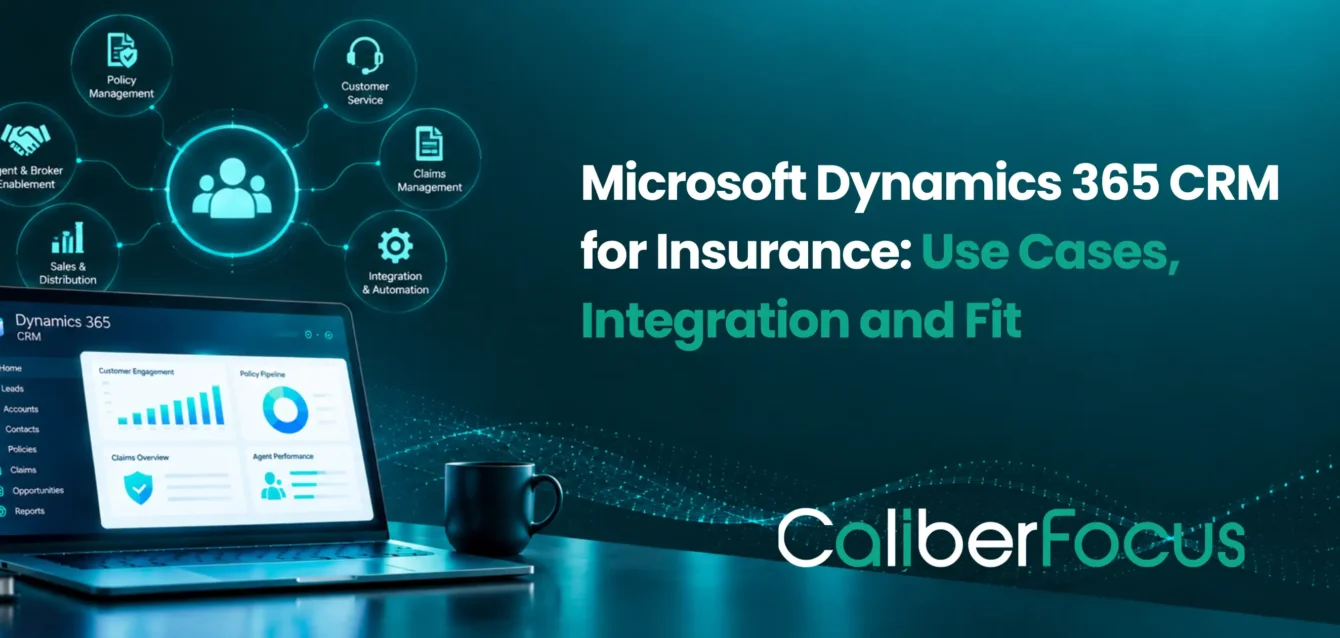
Microsoft Dynamics 365 CRM for insurance gives insurers a single platform to manage customer relationships, agent and broker interactions, service requests, sales activity, and workflow coordination. For most insurance organizations, the value comes from connecting customer-facing and operational teams to information that already sits across policy, claims, and underwriting systems.
Dynamics 365 CRM can help insurers:
- Improve policyholder service by giving teams a clearer view of customer interactions, service requests, and follow-up activity.
- Strengthen agent and broker management with centralized relationship history, opportunities, activities, and portfolio visibility.
- Keep sales and renewals moving through structured follow-up, reminders, task ownership, and pipeline tracking.
- Improve claims-related customer service by organizing inquiries, communications, case routing, and status follow-up around the claim.
- Coordinate underwriting workflows with better intake, document collection, approvals, handoffs, and communication across teams.
- Support stronger customer engagement and retention through more consistent communication, service history, and timely outreach.
The key implementation decision is where Dynamics 365 CRM should manage the workflow and where existing insurance systems should remain responsible for core transactions.
This article examines those use cases, integration points, and system boundaries so insurers can evaluate where Microsoft Dynamics CRM fits within their operating model.
Where Dynamics 365 CRM Fits in an Insurance Technology Architecture
An insurance CRM implementation usually sits between the people interacting with customers and the specialized systems executing insurance transactions.
A simplified architecture looks like:
Policyholder / Agent / Broker
↓
Dynamics 365 CRM and Customer Engagement
↓
Policy Administration | Claims | Rating | Billing | Documents | Data Platforms
Dynamics 365 becomes especially useful when service, sales, distribution, and operational teams need information from several systems but shouldn’t have to move manually between each application.
Consider a customer-service agent handling an inquiry who needs both policy status and claims context inside a single service case. Dynamics 365 retrieves or synchronizes that information through integration and surfaces it directly inside the case record, so the agent sees what they need without opening a second or third application. The policy administration system and the claims system stay the systems of record for their own data; CRM’s role is to bring the relevant pieces together at the point of service, not to store or replace them.
This is why core-system integration and data ownership are central to any Microsoft Dynamics CRM insurance implementation: the platform succeeds by connecting existing systems of record, not by duplicating them.
Dynamics 365 CRM Across Insurance Workflows
Agent, Broker and Distribution Management
Insurance distribution involves more than storing broker contact details. This is a continuous functional layer, not a single workflow with a defined end point, since relationship management runs for as long as the broker or agency stays active.
Dynamics 365 Sales can support:
- broker and agency relationship history
- prospect and opportunity management
- scheduled follow-up
- account activities
- renewal opportunities
- pipeline and portfolio visibility
- territory or distribution-team coordination
For organizations with large intermediary networks, Dynamics 365 Sales can provide the relationship-management layer around broker and distribution operations. It’s also where new business originates, feeding directly into the quote and renewal workflow below.
Quotes and Renewal Coordination
CRM can coordinate activity around quoting without replacing the insurer’s rating or policy system. Unlike distribution management, this is a single connected workflow with a clear sequence:
Lead or renewal event → information collection → quote request → underwriting handoff → customer/broker follow-up → policy issuance
Dynamics 365 can manage the surrounding tasks, communications, reminders, documents, and status visibility. Pricing, risk calculations, and issuance can remain within specialized insurance applications. This distinction is especially important for complex commercial insurance, where the underwriting handoff step below may involve multiple systems and approval stages.
Underwriting Workflow Coordination
Underwriting is the handoff stage within that same quote-to-issuance workflow, not a separate process. Underwriters work across submissions, documents, emails, broker communications, external risk information, and underwriting platforms during this stage.
Dynamics 365 and Power Platform can provide configurable intake, routing, approval, and communication workflows around that process. Microsoft Power Platform services can extend CRM when insurers require applications or workflow logic beyond standard Dynamics capabilities. The underlying underwriting models, rating logic, and specialized risk calculations remain within their purpose-built systems, and once approved, the process continues back into the quote workflow toward policy issuance.
Policyholder Service and Customer Relationship
Once a policy is issued, Dynamics 365 Customer Service can provide a common workspace for inquiries, service requests, complaints, communications, and follow-up. Like distribution management, this is an ongoing functional layer that runs for the life of the policy rather than a workflow with a start and end point.
Instead of recreating policy records inside CRM, teams can work with the policyholder context required to answer questions or route work while detailed policy transactions remain within the policy administration system. This is where Dynamics 365 Customer Engagement services become particularly relevant for insurers trying to establish a more consistent service model across channels.
Claims Intake and Service Coordination
Claims are a specific, connected workflow that runs inside that ongoing service layer, triggered by a loss event rather than a scheduled process. Dynamics CRM can support:
- first notice of loss intake
- customer communication
- service cases
- document requests
- task assignment
- escalation
- status communication
Claims adjudication, reserves, settlement calculations, and payment generally belong in the claims-management platform unless the insurer has deliberately implemented those capabilities elsewhere. CRM’s role is to manage the policyholder service experience around the claim as it moves through that platform.
How Dynamics 365 CRM Connects Insurance Workflows
Insurance Data and Core-System Integration
The architecture above only works if data ownership is settled before the integration between CRM and the insurance systems of record is built. The value of Microsoft CRM for insurance depends heavily on how customer, policy, broker, claims, and service information is exchanged across systems, and that starts with three questions answered before integration begins:
- Which system owns the record? Policy, claim, billing, and customer information may have different authoritative sources.
- What information does CRM actually need? Replicating every insurance record into Dataverse creates unnecessary complexity.
- How current does the information need to be? Some workflows need real-time APIs; others can use event-driven or scheduled synchronization.
A strong enterprise data governance framework helps establish ownership, access, quality, retention, and accountability across those data flows. API authentication, error handling, data mapping, and synchronization should also be designed as part of the broader API and system integration architecture rather than handled independently by each application team.
This same ownership boundary shows up in every workflow that follows: distribution, quoting, underwriting, policyholder service, and claims each depend on CRM referencing the right system’s data rather than duplicating it.
Security and Compliance in Insurance CRM
Insurance CRM environments may contain sensitive personal, financial, policy, and claims-related information. Security design should cover:
- User and role-based access: limits records and fields by job function. Dynamics 365 handles this through security roles, business units, and field-level security profiles.
- Broker and external-user permissions: controls what brokers and agents see from outside the organization. Dynamics 365 covers this with external-user licensing and restricted roles built for non-employee access.
- Sensitive-field access: restricts individual fields, such as financial or medical data, even when the rest of the record is visible. Dynamics 365 enforces this through field security profiles.
- Auditability: logs who accessed or changed data, and when. Dynamics 365 provides entity- and field-level audit logging.
- Data retention: enforces how long records are kept before archiving or deletion. Dynamics 365 supports this through data lifecycle and retention policies.
- Integration identities: scopes what connected systems can access. Dynamics 365 manages this through application users and service principals with defined permissions.
- Environment governance: separates development, test, and production to prevent data or changes crossing boundaries. Dynamics 365 controls this at the environment level through the Power Platform admin center.
- Data moving through Power Platform and external systems: protects data in transit through Power Automate flows and connected apps. Dynamics 365 addresses this with data loss prevention (DLP) policies governing which connectors and flows are permitted.
Dynamics 365 provides these controls, but configuring them to match regulatory, contractual, and internal requirements is the insurer’s responsibility.
AI and Automation in Dynamics 365 Insurance CRM
AI applications in insurance CRM work best scoped to specific workflows rather than treated as the platform’s foundation. Potential applications include:
- Summarizing customer or broker interactions: condenses call notes, emails, and case history into a short summary so the next person handling the account isn’t reading the full history.
- Preparing sales and service teams before conversations: surfaces relevant account, policy, or claim context ahead of a call so reps don’t start from scratch.
- Drafting follow-up communication: generates a first draft of renewal, quote, or claims-status messages for a rep to review and send.
- Identifying service trends: flags recurring issues across cases, such as a spike in a specific claim type or complaint category, for managers to act on.
- Assisting case handling: suggests next steps or relevant knowledge articles based on the case type and history.
- Automating repetitive CRM activity: handles routine tasks like data entry, status updates, and reminder scheduling without manual input.
Insurers evaluating these capabilities should connect AI deployment to governance, data permissions, and measurable workflow outcomes. Dynamics 365 Copilot and AI integration can be evaluated as part of that broader CRM roadmap.
Key Decisions Before a Dynamics 365 CRM Implementation
A Dynamics 365 CRM project should start with operating-model decisions, and screen configuration should follow once those are settled.
| Decision area | What to determine | What that looks like in practice |
| CRM scope | Which customer, broker, sales, and service workflows belong in Dynamics 365 | Distribution management, quoting coordination, policyholder service, and claims intake, as covered above, typically move into CRM; policy issuance, adjudication, and rating stay outside it |
| Core-system boundaries | Which functions remain in policy, claims, rating, billing, or underwriting systems | Anything involving pricing, reserves, settlement, or authoritative policy transactions stays in the specialized system CRM connects to, not inside CRM itself |
| Data ownership | Which application owns customer, policy, claim, and broker records | Settled using the three questions in the data ownership section: which system is authoritative, what CRM actually needs, and how current that data must be |
| Integration | Which workflows require APIs, synchronization, or event-driven exchange | Real-time lookups (like policy status inside a service case) need APIs; less time-sensitive data can sync on a schedule or trigger off an event |
| Power Platform | Where custom applications or workflow extensions are genuinely required | Reserved for workflow logic standard Dynamics functionality doesn’t cover, such as a customized underwriting intake process |
| Security | Who can access policyholder, broker, financial, and claims-related information | Defined by job function and record sensitivity, using the roles, field-level permissions, and external-user controls covered in the security section |
| Adoption | How agents, service teams, operations, and managers will work within the new model | Depends on whether each group’s current workflow moves into CRM, stays in a source system CRM connects to, or changes shape entirely |
Structured Dynamics 365 implementation best practices help keep these decisions aligned through design, testing, and deployment.
Following structured Dynamics 365 implementation best practices helps keep these decisions aligned through design, testing, and deployment.
Why Dynamics 365 CRM Is the Right Fit for Insurers Now
Dynamics 365 CRM becomes the right choice once an insurer’s distribution network, service volume, or system count has outgrown what manual coordination or a generic CRM can handle. That inflection point shows up in specific ways: brokers who can’t get consistent portfolio visibility across accounts, service teams re-entering the same customer context every time a new case opens, or renewal follow-up that depends on individual reps remembering to act instead of the platform tracking it.
Three signals point to this fit specifically:
- A growing intermediary network. Broker and agency relationship data has outgrown spreadsheets or a general-purpose CRM that isn’t built for insurance-specific renewal cycles and portfolio tracking.
- Multiple systems already doing their job well. Policy administration, claims, rating, and billing platforms are functioning as intended, and the actual gap is coordinating across them, not replacing any one of them.
- Service volume that has outpaced informal tracking. Case count, follow-up requirements, and status communication have reached a point where consistency depends on structured workflow rather than individual memory.
Where none of these signals are present, a general CRM or the existing tools may still be sufficient. Where they are, Dynamics 365 CRM doesn’t replace policy administration, claims adjudication, or rating engines; those remain a separate evaluation. A Dynamics 365 consulting assessment determines where CRM adds value before deciding what needs to be configured or replaced.
A Dynamics 365 consulting assessment should therefore determine where CRM adds value before deciding what needs to be configured or replaced.
Dynamics 365 CRM for Insurance
Build the Right Dynamics 365 CRM Architecture for Insurance
Connect policyholder service, broker relationships, customer engagement, and insurance workflows without forcing CRM to replace the core systems that already run the business.
FAQs
Yes. Dynamics 365 CRM can support policyholder service, agent and broker management, sales, renewals, customer communication, case management, and configurable insurance workflows. Its exact role should be designed around the insurer’s existing policy, claims, underwriting, billing, and data systems.
Dynamics 365 can surface policy information and support workflows around quotes, renewals, servicing, and customer communication. A dedicated policy administration system may still remain responsible for rating, endorsements, issuance, coverage rules, and authoritative policy transactions.
It can support FNOL intake, customer communication, case routing, follow-up, and claims-service workflows. Core adjudication functions such as reserves, settlement calculation, and claims payment may remain within a dedicated claims platform.
Dynamics 365 Sales can organize broker and agent accounts, activities, opportunities, follow-up, customer relationships, renewal activity, and distribution visibility. Integrations can bring relevant policy or product information into the CRM experience without duplicating the underlying transaction system.
Yes. Dynamics 365 and Dataverse can integrate with external platforms through APIs, integration services, Power Platform, and other architecture patterns. The design should define record ownership, synchronization, security, data scope, and failure handling before implementation.

More on Healthcare
Microsoft Dynamics 365 for Healthcare
Explore Dynamics 365 healthcare capabilities, use cases, integrations, and support for connected healthcare operations.
Dynamics 365 Security & Compliance in RCM
Understand security, compliance, access controls, and data protection considerations for Dynamics 365 in RCM.
Automated Patient Scheduling for Hospitals
Learn how automated scheduling can streamline appointments, provider availability, and hospital resource coordination.