

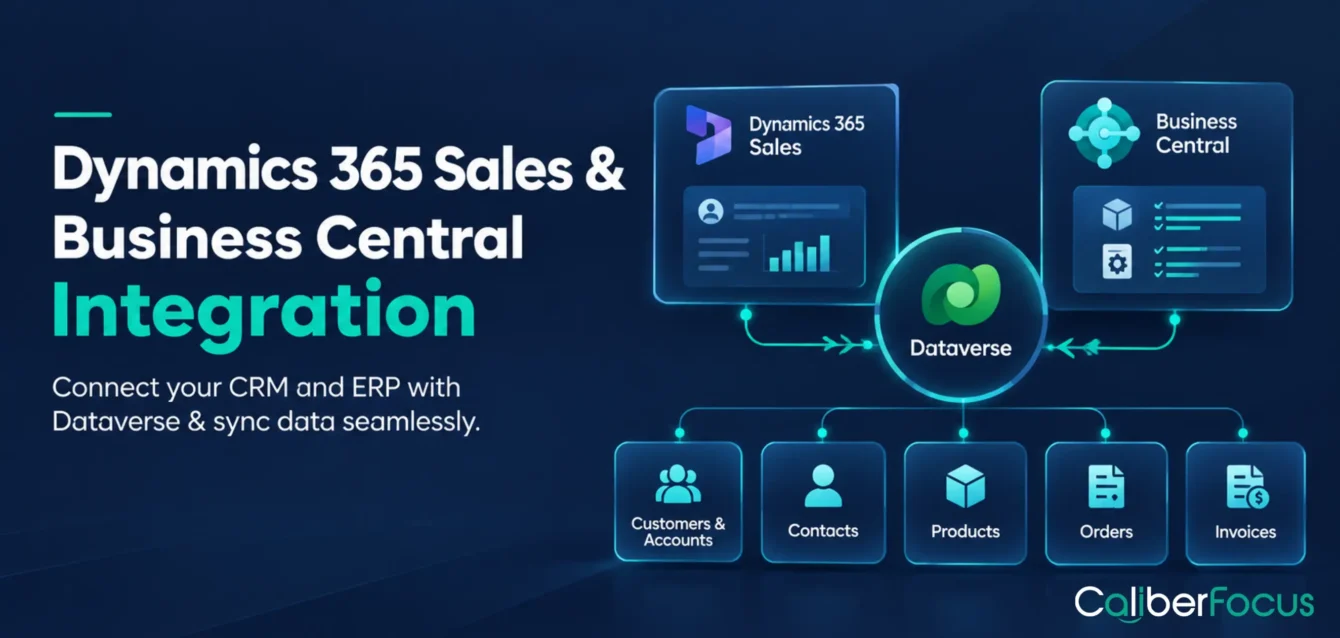
Sales and finance teams often work with different versions of the same customer information. Dynamics 365 Sales manages customer relationships, opportunities, and sales activities, while Dynamics 365 Business Central handles financial transactions, inventory, orders, and invoicing. Without a defined connection, information must be reconciled between the two applications.
Microsoft Dynamics 365 Sales and Business Central integration connects CRM and ERP processes through Microsoft Dataverse and configurable data synchronization. It allows businesses to coordinate customer records, product information, sales orders, and other supported data without treating the applications as isolated systems.
For organizations evaluating Microsoft Dynamics 365 services, the critical question is not simply whether the platforms can connect. It is which records should remain consistent, which system should control them, and how synchronization should support the sales-to-finance process.
This guide examines Dataverse architecture, supported data flows, synchronization decisions, setup requirements, and when customization becomes necessary.
Take the 2-Minute Integration Readiness Quiz
Not sure whether standard integration will be enough? Answer four quick questions about your records, order flow, and customizations to find a suitable starting point.
Dynamics 365 Sales and Business Central Integration at a Glance
| Area | What decision-makers should know |
| Integration purpose | Connect customer-facing CRM activities with ERP transactions |
| Dataverse | Provides the data platform used for integration and synchronization |
| Supported data | Includes customer/account, contact, product, opportunity, order, and invoice-related records |
| Synchronization | Uses table mappings, record coupling, direction rules, and scheduled jobs |
| Setup | Requires environment configuration, permissions, mapping, and validation |
| Main risks | Duplicate records, conflicting updates, incorrect mappings, and failed synchronization |
| Investment decision | Determine whether standard integration meets requirements or customization is justified |
Why Integrate Dynamics 365 Sales with Business Central?
Dynamics 365 Sales and Business Central serve different business purposes. Sales supports relationship management and commercial opportunities, while Business Central manages financial and operational transactions.
Integration becomes valuable when those activities depend on shared information.
For example, a distributor may manage customer negotiations in Dynamics 365 Sales but maintain product pricing, order processing, and invoicing in Business Central. If the applications are disconnected, account details and commercial information may require manual reconciliation before orders can progress.
A connected environment can support:
- Customer information consistency: Align relevant account and contact records between CRM and ERP.
- Sales-to-order continuity: Transfer supported sales-order information into Business Central for downstream processing.
- Product and pricing coordination: Make relevant ERP product and pricing information available to sales processes.
- Financial visibility: Provide access to supported invoice and order information across the connected applications.
The business objective is not to synchronize everything.
A successful integration establishes which information needs to be shared, who owns it, and how changes affect downstream business processes.
How Does Business Central Dataverse Integration Work?
Microsoft Dataverse is the underlying data platform used by Dynamics 365 Sales. Business Central can connect to Dataverse to exchange information with Sales and other supported applications.
In a Business Central Dataverse integration, corresponding records are connected through table mappings and coupling. Coupling establishes a relationship between records, such as a Business Central customer and a Dataverse account, so synchronization can update the appropriate records.
Dataverse Connectivity vs. Dynamics 365 Sales Integration
These concepts are closely related but have different scopes.
| Integration component | Role | Business implication |
| Business Central–Dataverse connection | Connects Business Central with Dataverse tables | Establishes the foundation for supported data exchange |
| Dynamics 365 Sales integration | Adds Sales-specific mappings and processes | Supports CRM-to-ERP workflows involving opportunities, orders, and invoices |
| Synchronization configuration | Controls mappings, direction, and execution | Determines which records change and under what conditions |
Connecting Business Central to Dataverse does not automatically mean every Dynamics 365 Sales process is integrated.
Organizations must configure the relevant Sales connection and validate the mappings required for their intended workflows.
Microsoft documents these capabilities in its official Dynamics 365 Sales and Business Central integration guidance.
What Data Can Sync Between Dynamics 365 Sales and Business Central?
One of the first implementation decisions is identifying which records must remain aligned across the applications.
Standard integration supports several data categories, but synchronization direction and behavior vary by mapping and configuration.
| Data category | Integration purpose | What businesses should verify |
| Customers and accounts | Align customer information across CRM and ERP | Record matching, ownership, and duplicate prevention |
| Contacts | Coordinate relevant contact information | Which fields and updates should synchronize |
| Items and products | Support consistent product information | Product mapping and units of measure |
| Pricing | Make supported ERP pricing data available in Sales | Price-list structure and applicable pricing rules |
| Opportunities | Coordinate supported opportunity records | Ownership, mapping, and required business fields |
| Sales orders | Connect commercial orders with ERP processing | Order direction, status, and modification rules |
| Posted invoices | Make relevant invoice information available in Sales | Timing, visibility, and downstream reporting needs |
Why Synchronization Direction Matters
Not every record should be editable from both applications.
For example, a business may want product pricing controlled in Business Central while allowing sales teams to access that information in Dynamics 365 Sales. Allowing unrestricted changes in both systems could introduce conflicts over which price is authoritative.
Sales orders require particular attention. Microsoft supports bidirectional sales-order synchronization under the appropriate configuration, while legacy order integration follows a different, one-way model.
Before enabling synchronization, businesses should confirm:
- Which application creates the original record.
- Whether updates move in one direction or both.
- Which fields can be modified after an order reaches a particular status.
- How exceptions and synchronization failures will be resolved.
These decisions determine whether integration preserves commercial and financial controls.
See One Customer Travel from CRM to Invoice
Follow an account, a sales order, and a posted invoice as information moves between Dynamics 365 Sales and Business Central.
Watch the CRM-to-Invoice Walkthrough Want to see how it could work for your business?How to Sync Business Central with Dynamics 365 Sales
To sync Business Central with Dynamics 365 Sales, organizations need more than a connection between environments. The implementation must establish how existing records are matched, how new records are created, and how subsequent changes are processed.
The process can be divided into four stages.
1. Establish Record Ownership
Identify the authoritative application for each important data category.
Customer information may originate in CRM, while financial classifications and accounting-related details are maintained in ERP. These responsibilities should be documented before synchronization rules are finalized.
2. Map and Couple Records
Table mappings connect corresponding data structures. Coupling links individual records so the integration can recognize that they represent the same business entity.
Without reliable matching, an existing customer may be recreated as a duplicate rather than updated.
3. Configure Synchronization Rules
The implementation team defines synchronization direction, relevant fields, filters, and job execution.
Some records may synchronize in both directions, while others follow specific one-way rules. Scheduled synchronization also means businesses should not assume that every change appears immediately in the other application.
4. Validate Business Scenarios
Testing should cover more than successful record transfers.
A useful validation scenario follows a customer from CRM through the relevant order process, checking record matching, product information, order status, and invoice visibility.
Exceptions should also be tested, including duplicate accounts, missing mappings, changed records, and failed synchronization jobs.
Business Central Dynamics 365 Sales Setup: What Must Be Ready?
The Business Central Dynamics 365 Sales setup process involves environment readiness, security, integration configuration, and business validation.
For CIOs and transformation leaders, these are implementation dependencies that should be resolved before approving deployment.
| Setup requirement | Why it matters |
| Compatible environments | Confirms the applications and target Dataverse environment can connect |
| Required licenses and permissions | Enables authorized configuration and integration access |
| Connection configuration | Establishes the Business Central–Dataverse and Sales integration settings |
| Data preparation | Reduces duplicate records and inconsistent master data |
| Table mappings and coupling | Defines how corresponding records are linked |
| Synchronization jobs | Controls how configured changes are processed |
| Testing and monitoring | Verifies transactions and provides visibility into failures |
Do Not Treat Initial Synchronization as a Routine Import
An initial synchronization may involve substantial existing customer, contact, or product data. Incorrect mappings can create duplicates or introduce changes that are difficult to reconcile.
A controlled rollout should therefore begin with a defined data scope, validation criteria, and responsibility for approving the results.
Organizations planning a wider ERP rollout should align these activities with their Business Central implementation process, particularly data preparation, testing, and deployment readiness.
Assess Your Dynamics 365 Integration Requirements
CaliberFocus supports organizations evaluating Dynamics 365 implementation, configuration, and integration requirements. Establish the right data flows and implementation scope before connecting CRM and ERP processes.
Book a Free Integration Scoping CallWhat Can Go Wrong with Business Central CRM Integration?
A Business Central CRM integration may be technically connected yet still produce unreliable business information.
The most consequential problems often arise from decisions about data ownership, record matching, and synchronization behavior.
| Risk | Business consequence | Recommended control |
| Duplicate accounts | Fragmented customer records | Validate matching and coupling rules |
| Conflicting updates | Inconsistent customer or product information | Define authoritative systems and update direction |
| Incorrect mappings | Data appears in the wrong fields or records | Test mappings against real business scenarios |
| Failed synchronization jobs | CRM and ERP information becomes inconsistent | Assign monitoring and exception ownership |
| Order-status differences | Sales and finance interpret orders differently | Validate order lifecycle rules |
| Uncontrolled customization | Higher maintenance and upgrade effort | Document and govern integration extensions |
The C-Suite Risk: Shared Data Without Shared Accountability
Integration can expose weaknesses in how an organization governs customer and transaction information.
Consider a business where Sales controls account changes, Finance controls customer credit information, and neither function owns the complete customer record. Synchronization may make information available across applications without resolving who is responsible for its accuracy.
That creates a governance problem, not simply an integration problem.
Leadership should assign ownership for critical records, approve synchronization policies, and establish escalation procedures for exceptions. The objective is to maintain dependable business information as processes and applications change.
When Is Standard Integration Enough, and When Is Customization Needed?
Standard Dynamics 365 Sales and Business Central integration should be evaluated first. It provides supported mappings and synchronization capabilities that may cover common CRM–ERP requirements.
Customization becomes relevant when a defined business process cannot be supported adequately through standard configuration.
| Business requirement | Recommended evaluation |
| Standard customer, product, and order synchronization | Assess built-in mappings and supported configuration |
| Additional custom fields | Determine whether existing mappings can be extended |
| Specialized approval or order workflows | Evaluate workflow changes and integration requirements |
| Additional CRM or ERP applications | Assess broader integration architecture |
| Complex multi-company requirements | Review entity-specific mappings, ownership, and synchronization scope |
The Investment Question Leadership Should Ask
Before approving customization, determine whether the requirement reflects a genuine business dependency or an existing process that could be simplified.
For example, a request to synchronize every CRM field may increase complexity without improving the sales-to-finance workflow. A smaller set of controlled fields may be sufficient to support order processing and customer visibility.
Custom development should be justified through measurable outcomes, such as reduced reconciliation effort, fewer duplicate records, or improved consistency in order-related information.
Implementation estimates should distinguish standard configuration from extensions, testing, monitoring, and ongoing maintenance. The broader Dynamics 365 ERP implementation cost factors can help frame these budget considerations.
Plan Your CRM–ERP Integration with Clear Ownership.
If your organization is evaluating data synchronization, custom mappings, or Sales-to-Business Central workflows, CaliberFocus can help define the integration scope and implementation requirements.
Request a Scoped Integration Estimate →Frequently Asked Questions
1. Can Dynamics 365 Sales integrate with Business Central?
Yes. Microsoft supports integration between Dynamics 365 Sales and Business Central through Dataverse and configured synchronization. The integration can connect supported customer, product, opportunity, order, and invoice-related information.
2. Is Dataverse required for Dynamics 365 Sales and Business Central integration?
Dataverse is the supported foundation for modern Business Central integration with Dynamics 365 Sales. Businesses using older integration configurations should assess their current setup and Microsoft's supported connection requirements before making changes.
3. Is synchronization between Business Central and Dynamics 365 Sales bidirectional?
It depends on the record type and configuration. Some mappings support bidirectional synchronization, while others are one-way. Sales-order synchronization also has specific configuration and status rules.
4. Does integration automatically eliminate duplicate customer records?
No. Synchronization does not replace data cleansing or record-matching controls. Existing records must be coupled correctly, and duplicate prevention should be included in implementation testing.
5. Can businesses customize Dynamics 365 Sales and Business Central integration?
Yes. Organizations can extend supported integration behavior where standard mappings do not meet their requirements. Customization should be assessed for maintainability, security, testing, and future application updates.
6. Is data synchronization real-time?
Not necessarily. Business Central supports scheduled synchronization jobs, and actual data availability depends on the configured process. Businesses should define acceptable synchronization delays for each workflow.
7. What affects the cost of integrating Dynamics 365 Sales with Business Central?
Major factors include data quality, number of mappings, custom fields, order-process complexity, integration extensions, testing, and ongoing support. A reliable estimate requires an agreed scope and defined responsibilities.
Key Takeaways
- Microsoft Dynamics 365 Sales and Business Central integration connects CRM and ERP information through Dataverse and supported synchronization capabilities.
- Dataverse connectivity, Sales integration, and synchronization rules serve different purposes.
- Customer, contact, product, opportunity, order, and invoice-related records have different mapping and synchronization requirements.
- Record coupling, data ownership, and synchronization direction are critical implementation decisions.
- Setup readiness should cover environments, permissions, data quality, configuration, testing, and monitoring.
- Standard integration should be assessed before introducing custom development.
- Long-term integration reliability depends on clear ownership, controlled changes, and exception management.
Have One Integration Problem You Want Solved?
Describe your integration challenge to the CaliberFocus team and discuss a recommended approach for your CRM–ERP workflows.
Share Your Integration Challenge Start with one specific integration challenge.
Continue Reading
Dynamics 365 vs. NetSuite
Compare ERP capabilities, implementation considerations, integration needs, and cost drivers to evaluate the right fit for your business.
Explore the Comparison COST & PLANNINGDynamics 365 ERP Implementation Costs
Understand how data migration, configuration, integrations, and deployment scope influence your ERP implementation budget.
Explore Cost Factors BUSINESS VALUEBenefits of Microsoft Dynamics 365 for Enterprises
Explore how connected business processes, automation, and operational insights can support enterprise digital transformation.
Explore the Benefits