

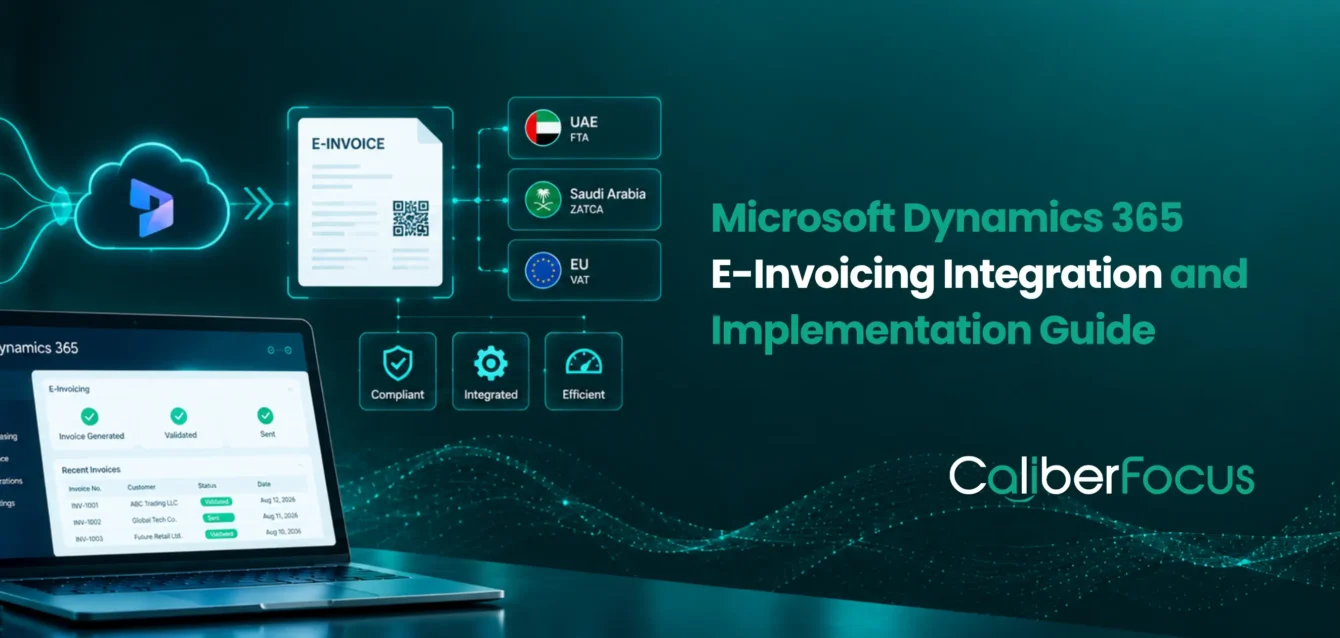
A Dynamics 365 environment can generate accurate invoices and still be unprepared for electronic invoicing. The challenge often begins after invoice creation, when ERP data must be structured, validated, exchanged through the required external channel, and connected back to acknowledgements, rejections, and reconciliation.
That is where Microsoft Dynamics 365 E-Invoicing Integration becomes important.
A connected process brings together:
Dynamics 365 → Structured Invoice Data → Invoice Validation → External Exchange → Response → Reconciliation
Instead of treating tax compliance as a separate invoice-export activity, the integration connects electronic invoice processing with the finance workflow already running inside Dynamics 365.
What Changes With E-Invoicing Integration?
A production-ready environment needs to ensure:
- Structured invoice and tax data flows accurately from Dynamics 365.
- Country-specific formats and rules are applied to the correct transactions.
- Invoice validation catches data or format issues before exchange.
- External connectivity reaches the required provider, network, or tax platform.
- Acknowledgements and rejections return to the finance workflow.
- Corrections and resubmissions remain traceable to the original transaction.
For enterprises running Dynamics 365 Finance and Operations, these requirements can be integrated into existing finance, tax, legal-entity, and transaction workflows through Microsoft’s Electronic Invoicing, Electronic Reporting, and Globalization capabilities.
This becomes especially relevant across the GCC. Different countries can require different invoice structures, reporting or clearance models, validation rules, providers, and authority connections. A shared Dynamics 365 environment therefore needs enough flexibility to support country-specific requirements without fragmenting the underlying finance process.
For organizations operating across multiple markets, GCC e-invoicing services can help align those country requirements within a coordinated Dynamics 365 architecture.
Make E-Invoicing Work With Your Dynamics 365 Environment
Connect invoice data, regulatory requirements, external providers, validation, and exception handling into one production-ready e-invoicing process.
What Is Microsoft Dynamics 365 E-Invoicing Integration?
Microsoft Dynamics 365 e-invoicing integration connects commercial and financial transactions created inside the ERP with the structured data, validation, exchange, response, and compliance workflows required for electronic invoicing.
The underlying data differs by industry. A manufacturer may need sales orders, shipment details, product lines, tax treatment, and legal-entity data. Healthcare organizations may process service invoices, supplier transactions, recurring contracts, and multi-entity finance records. Retailers may manage high transaction volumes, discounts, credit notes, store-level activity, and tax calculations.
Dynamics 365 remains the source of these operational and financial records. The e-invoicing ERP integration extends that transaction data into the required regulatory structure, validates it, routes it through the appropriate provider, network, or authority, and returns the resulting status to the finance process.
Across the GCC, that workflow may differ by country because invoice formats, tax rules, reporting models, and connectivity requirements are not uniform.
For enterprises modernizing finance operations, this capability should fit within the broader Dynamics 365 ERP services architecture so e-invoicing remains connected to core transactions, controls, and reconciliation rather than becoming a separate compliance layer.
How Does E-Invoicing Work in Dynamics 365 Finance and Operations?
In Dynamics 365 F&O, e-invoicing moves through a controlled sequence from the original transaction to invoice data exchange, response handling, and reconciliation.
01. Transaction Created in Dynamics 365 F&O
The process starts with the business transaction recorded in D365, including customer or supplier information, invoice lines, tax treatment, currency, and legal entity. Any source-data gap at this stage can affect subsequent mapping and validation.
02. Electronic Invoicing Process Is Triggered
The configured Globalization feature determines which processing rules apply to the transaction. This ensures the document follows the correct regulatory scenario before electronic invoice processing begins.
03. Invoice Data Is Transformed
Electronic Reporting maps D365 transaction data into the structured format required by the applicable e-invoicing model. Accurate mapping is critical because mandatory invoice fields and tax information depend on the ERP source data.
04. Validation Rules Are Applied
Required fields, document logic, tax rules, and configured business checks are validated before transmission. This helps identify problems before the document reaches the provider, recipient, or tax authority.
05. The E-Invoice Is Sent Through the Required Channel
The validated document moves through the applicable provider, API, access point, network, customer system, or government platform. The connection model depends on the country and regulatory architecture.
06. Responses Return to the Integration
Acknowledgements, rejections, validation errors, and processing statuses return through the configured workflow. These responses determine whether the transaction can continue or requires correction and resubmission.
07. Finance Teams Monitor and Reconcile
The final status remains linked to the underlying D365 transaction so finance teams can resolve exceptions, track successful invoices, and keep ERP and electronic invoice records aligned.
Dynamics 365 E-Invoicing Readiness: What to Prepare Before Integration
Before integration begins, teams need to confirm that Dynamics 365 can produce the right invoice data, apply the required regulatory logic, connect securely to external systems, and return exceptions to the finance workflow.
| Readiness area | What to confirm in Dynamics 365 | Why it matters for e-invoicing |
| D365 environment | Confirm version, legal entities, invoice types, tax setup, extensions, and major customizations | Determines whether existing ERP processes can support the required electronic invoicing model |
| Master and transaction data | Validate customer, supplier, tax identifiers, invoice references, currencies, and line-level data | Incomplete source data can cause mapping failures, incorrect tax treatment, or rejected invoices |
| Regulatory requirements | Identify mandatory fields, document types, tax rules, electronic format, and country processing model | Defines how each transaction must be prepared and processed |
| Electronic Invoicing setup | Confirm applicable Electronic Invoicing features, Globalization configurations, parameters, and processing rules | Controls how ERP data is transformed and prepared for electronic exchange |
| External connectivity | Confirm APIs, providers, endpoints, access points, or government platforms | Ensures invoice data reaches the correct external environment |
| Security and authentication | Validate certificates, credentials, secrets, signatures, and access controls where required | Protects invoice data and supports secure external transactions |
| Exception handling | Define how validation errors, rejections, corrections, and resubmissions return to finance teams | Prevents failed invoices from moving into offline spreadsheets or email tracking |
Microsoft’s setup process includes enabling Electronic Invoicing integration, configuring the required service and Azure resources, setting up Globalization features, and defining the relevant e-invoicing parameters.
For multi-country deployments, a Dynamics 365 GCC e-invoicing readiness guide can help separate shared ERP requirements from country-specific compliance and connectivity needs.
How Do You Configure E-Invoicing in Dynamics 365?
Configuration translates the regulatory requirement into the D365 processing rules, data mappings, security controls, and external connection needed for the transaction.
1. Confirm the Dynamics 365 Scope
Identify legal entities, invoice types, tax configurations, transaction volumes, countries, existing integrations, and customizations that affect the e-invoicing process.
2. Configure the Electronic Invoicing Environment
Enable the applicable Electronic Invoicing capabilities and establish the service configuration required for the D365 environment.
3. Apply the Required Globalization Configuration
Select or configure the relevant Globalization feature so each transaction follows the appropriate country-specific processing and document rules.
4. Map and Process Invoice Data
Use Electronic Reporting and configured processing rules to transform D365 data, apply invoice validation, and prepare the structured document for submission.
5. Connect and Validate the End-to-End Flow
Configure the provider, network, authority, or API integration together with authentication and security controls. Then validate submission, responses, exceptions, and reconciliation before production.
These decisions should align with broader Dynamics 365 F&O implementation best practices, particularly where tax integration, APIs, customizations, and multiple legal entities intersect.
Validate the Full Transaction, Not Just the Connection
A successful endpoint connection does not prove that invoice data, regulatory rules, responses, and finance workflows will work together in production.
DATA TRANSFORMATION
How Does D365 F&O Transform and Exchange E-Invoices?
Electronic Reporting prepares the ERP data for the required electronic structure, while Globalization features organize the configurations and processing rules that govern the document lifecycle.
Electronic Reporting maps invoice, tax, party, and transaction data into the format required for the applicable e-invoicing model.
Globalization features bring together processing actions, applicability rules, regulatory configurations, and document workflows. This allows country-specific logic to change without hard-coding every regulatory requirement into the core ERP.
The flow can be simplified as:
D365 Invoice Data → Electronic Reporting → Regulatory Format → Globalization Processing → External Exchange
The final exchange model depends on the jurisdiction. It may involve:
- a tax authority platform
- an Accredited Service Provider
- a Peppol access point
- an approved e-invoicing provider
- another regulated exchange network
This distinction is important across the GCC. Dynamics 365 UAE e-invoicing follows the UAE’s ASP and Peppol-oriented framework, while Dynamics 365 ZATCA e-invoicing must align with Saudi Arabia’s ZATCA requirements.
Organizations assessing external implementation support can also review the criteria for selecting D365 e-invoicing GCC partners.
How Should Dynamics 365 E-Invoicing Integration Be Tested?
Testing needs to prove the complete electronic invoice lifecycle, including invoice automation, external exchange, failures, correction, and reconciliation.
| Test area | What to validate |
| Invoice and tax data | Correct transaction, entity, tax treatment, and source information |
| Data mapping | Mandatory regulatory fields receive the correct D365 data |
| Invoice validation | Business and regulatory rules are applied correctly |
| Electronic output | The structured document meets the required specification |
| External exchange | The invoice reaches the correct provider, network, or authority |
| Responses | Acceptance, rejection, and status messages return correctly |
| Corrections | Failed invoices, adjustments, and resubmissions follow the expected process |
| Reconciliation | D365 and final electronic invoice status remain aligned |
Testing should include failure scenarios such as missing tax identifiers, incorrect tax codes, mapping errors, duplicate invoices, expired certificates, connectivity failures, or external rejection.
A practical production-readiness sequence is:
Failure → Correction → Resubmission → Acceptance → Reconciliation
If teams can complete that lifecycle without creating an offline workaround, the integration is much closer to production readiness.
What Business Benefits Can Dynamics 365 E-Invoicing Integration Create?
A well-designed integration connects tax compliance with the existing finance process instead of adding another manual layer around Dynamics 365.
Fewer Manual Invoice Handoffs
Structured invoice data can move from Dynamics 365 into electronic processing without repeated exports, data entry, or manual document tracking.
Earlier Identification of Invoice Errors
Incorrect tax data, missing identifiers, and incomplete invoice fields can be detected during validation before external submission.
Better Transaction Visibility
Acknowledgements, failures, and external statuses can return directly to the connected finance workflow.
Stronger Reconciliation and Traceability
The original transaction, electronic invoice, response, and adjustment can remain connected throughout the process.
6 Best Practices for Dynamics 365 E-Invoicing Integration
Production-ready e-invoicing needs to accommodate regulatory, operational, and integration changes after go-live.
- Clean source data before integration. Customer, supplier, tax, and invoice information should be reliable before mapping begins.
- Keep regulatory logic configurable. Avoid unnecessary hard-coded country rules where Electronic Reporting or Globalization configurations can manage them.
- Design for multiple legal entities early. Tax registrations, invoice structures, and processing rules become harder to retrofit later.
- Define integration responsibilities clearly. Decide what Dynamics 365, Microsoft Electronic Invoicing, APIs, and external providers each handle.
- Test failed transactions as thoroughly as successful invoices. Rejection, correction, and resubmission are normal production scenarios.
- Plan for regulatory updates. Country specifications, provider requirements, and Microsoft configurations need ongoing ownership after production.
How CaliberFocus Supports Dynamics 365 E-Invoicing Integration
CaliberFocus connects regulatory requirements with the Dynamics 365 data, configuration, APIs, external providers, testing, and finance processes required for production e-invoicing.
The objective is not simply to generate an electronic file. It is to make invoice creation, structured exchange, tax compliance, exception handling, and reconciliation operate as one controlled process across GCC and multi-entity environments.
Post-go-live monitoring and configuration changes can also be supported through Dynamics 365 managed services.
Key Takeaways for
Dynamics 365 E-Invoicing Integration
Microsoft Dynamics e-invoicing works best when electronic invoice processing remains connected to the underlying ERP transaction lifecycle.
Dynamics 365 remains the source of transaction, invoice, and tax data.
Electronic Reporting supports configurable data transformation.
Globalization features organize regulatory processing and document workflows.
API integration and external connectivity depend on the applicable country model.
Invoice validation should happen before external submission.
Testing must cover rejection, correction, resubmission, and reconciliation.
Multi-country GCC environments need country-specific compliance within a coordinated ERP architecture.
Frequently Asked Questions
Microsoft Dynamics 365 e-invoicing integration connects ERP invoice and tax data with the transformation, validation, electronic exchange, response, and reconciliation processes required for e-invoicing. The architecture can vary by jurisdiction because regulatory formats, service providers, tax-authority connections, and electronic invoice processing requirements differ between markets.
Yes. Dynamics 365 Finance supports electronic invoicing through Microsoft’s Electronic Invoicing, Electronic Reporting, and Globalization capabilities. The exact configuration depends on the country, regulatory requirements, document format, external connectivity model, and available Microsoft features for that jurisdiction.
Electronic Reporting maps business and tax data from Dynamics 365 into the structured electronic format required by the applicable invoicing model. It allows field mappings and document formats to be configured without placing all transformation logic directly inside the core ERP transaction process.
No. The connection depends on the country’s e-invoicing architecture. Dynamics 365 may communicate through a service provider, API, access point, exchange network, government platform, or another approved channel. Integration design should follow the applicable regulatory model rather than assume a single connection method.
Dynamics 365 can support country-specific e-invoicing configurations while retaining a common enterprise finance environment. GCC deployments may require different document formats, tax rules, validation logic, providers, reporting models, and authority connections for each country, so the architecture needs both shared ERP controls and jurisdiction-specific configurations.
Rejected invoices should follow a controlled exception process. Teams need to identify the validation or external error, correct the source data or configuration, regenerate or resubmit the invoice where required, capture the new response, and reconcile the final status with the original Dynamics 365 transaction.
Make Dynamics 365 E-Invoicing Integration Production-Ready
CaliberFocus helps enterprises design and implement production-ready Dynamics 365 e-invoicing integration across GCC, multi-entity, and complex enterprise environments.

Explore the GCC E-Invoicing Landscape
Go deeper into partner selection, regional readiness, and ZATCA requirements for Dynamics 365 e-invoicing implementations.
D365 E-Invoicing GCC Partners
Compare the capabilities to look for when choosing a Dynamics 365 e-invoicing partner for GCC compliance, integration, and implementation.
Dynamics 365 GCC E-Invoicing Readiness Guide
Understand the ERP, regulatory, integration, security, and country-specific considerations to assess before going live across GCC markets.
ZATCA Readiness Assessment in Dynamics 365
Assess your Dynamics 365 environment against ZATCA e-invoicing requirements, including configuration, data, integration, and compliance readiness.